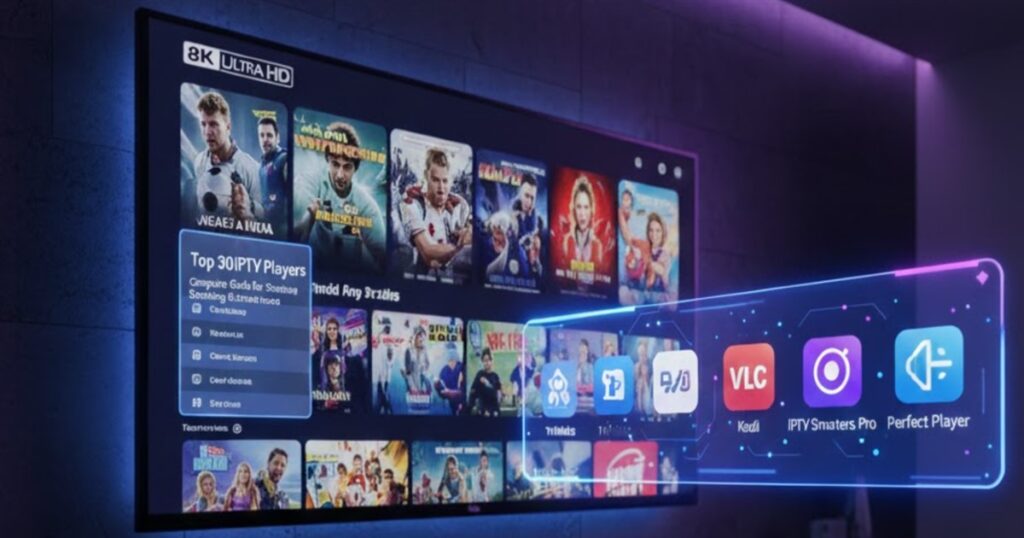
30 Best IPTV Players in 2026
The world of IPTV (Internet Protocol Television) has exploded in popularity, offering viewers unprecedented flexibility in how they consume television content. At the heart of any IPTV experience lies the player—the software application that decodes and displays your streaming content. Choosing the right IPTV player can dramatically improve your viewing experience through better performance, more features, and enhanced usability. This comprehensive guide explores the 30 best IPTV players available in 2026 across various platforms.
Understanding IPTV Players
An IPTV player is software that receives streaming data through internet protocols and displays it as television content on your device. Unlike traditional media players designed for local files, IPTV players are optimized for streaming content from remote servers. They handle various stream formats, manage playlists, provide electronic program guides (EPGs), and offer features like recording and time-shifting.
The best IPTV players support multiple playlist formats including M3U and Xtream Codes API, offer intuitive user interfaces, provide reliable playback with minimal buffering, include EPG support for program information, and work across different platforms and devices.
Platform Considerations
IPTV players are available for virtually every platform including Android devices, iOS devices, Windows computers, macOS systems, Linux distributions, smart TVs, Fire TV and Fire Stick, Apple TV, and web browsers. Some players are platform-specific while others offer cross-platform compatibility. Your choice may depend on which devices you plan to use for viewing.
Top Universal IPTV Players
1. TiviMate
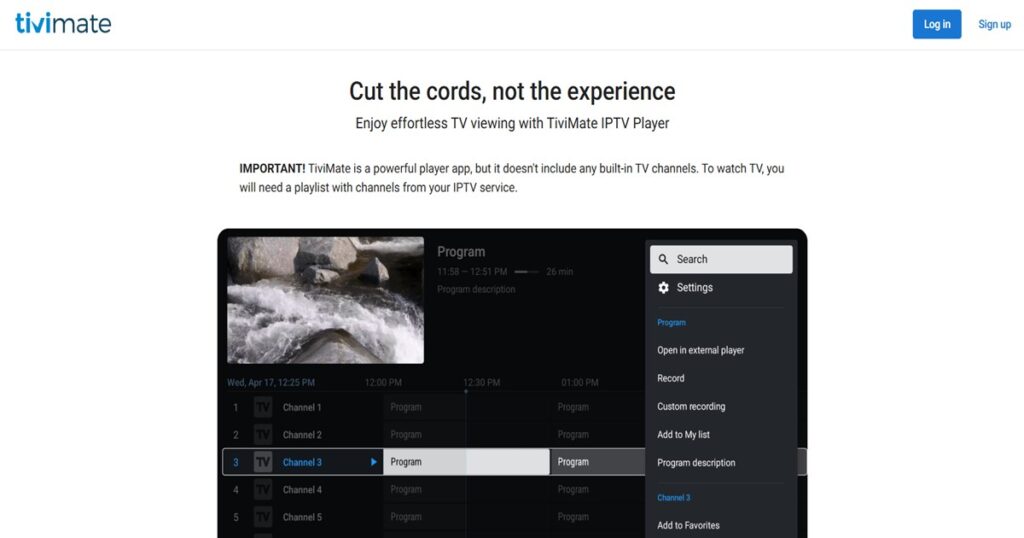
TiviMate has become the gold standard for Android-based IPTV playback. This player offers an exceptionally polished interface that rivals premium cable TV experiences. The application supports multiple playlists simultaneously, allowing you to organize content from different sources. TiviMate includes comprehensive EPG support with customizable program guides, catch-up TV functionality for watching past programs, and advanced recording features.
The player’s user interface can be extensively customized with different themes, layouts, and color schemes. TiviMate supports parental controls, favorites management, and advanced search functionality. The premium version unlocks additional features including unlimited playlists and advanced recording options. TiviMate works exceptionally well on Android TV boxes, NVIDIA Shield, and Fire TV devices.
2. IPTV Smarters Pro
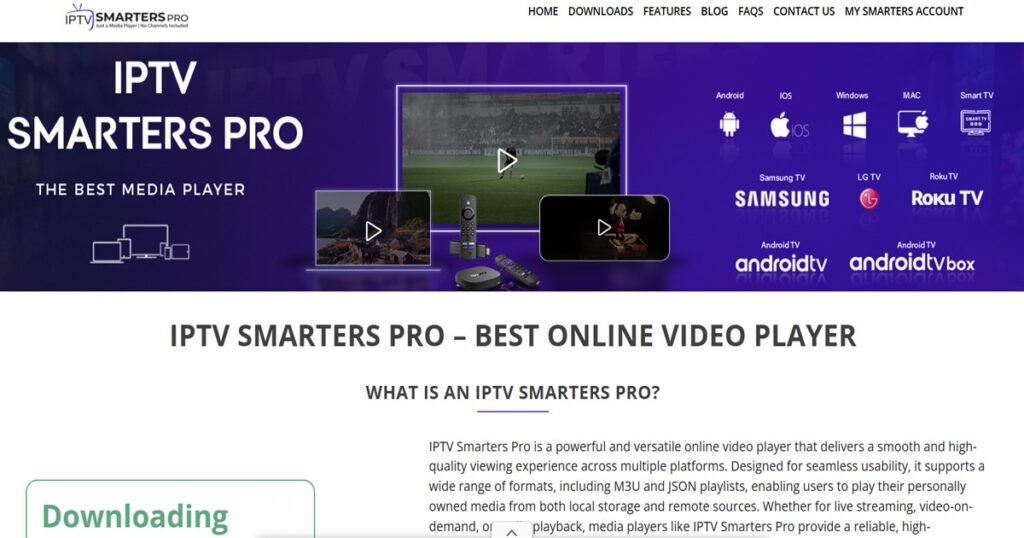
IPTV Smarters Pro offers comprehensive functionality across multiple platforms including Android, iOS, Windows, and macOS. The player supports both M3U URLs and Xtream Codes API login, providing flexibility in how you connect to IPTV services. Its interface features a modern design with easy navigation between live TV, movies, and series sections.
The player includes built-in parental controls, catch-up TV support, and EPG integration. IPTV Smarters Pro offers multi-screen viewing capabilities, allowing you to watch multiple channels simultaneously. The application supports external video players for users who prefer alternatives to the built-in player. Cloud recording features enable you to save content for later viewing.
3. VLC Media Player
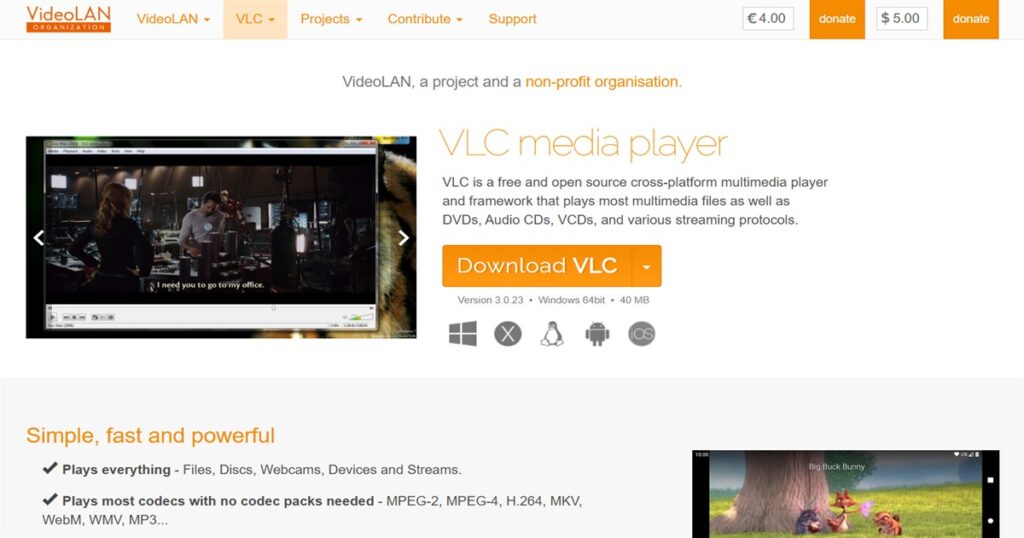
VLC remains one of the most versatile media players available, with robust IPTV streaming capabilities. This open-source player supports virtually every video format and streaming protocol imaginable. VLC can handle M3U playlists, direct stream URLs, and various other input methods. The player’s extensive codec support ensures compatibility with even obscure stream formats.
VLC offers advanced playback controls including speed adjustment, subtitle synchronization, and audio track selection. The player includes recording functionality, allowing you to save streams to your device. While VLC’s interface isn’t specifically designed for IPTV, its reliability and feature set make it invaluable for technical users. VLC works across Windows, macOS, Linux, Android, and iOS platforms.
4. Perfect Player
Perfect Player provides a traditional cable TV-like interface with excellent EPG integration. The player is particularly popular among users transitioning from traditional television who want familiar layouts. Perfect Player supports multiple playlists and offers extensive customization options for the EPG display.
The application includes features like channel grouping, favorites management, and parental controls. Perfect Player supports various streaming protocols and handles both live TV and video-on-demand content. The player offers both free and premium versions, with the paid version removing advertisements and unlocking additional features.
5. GSE Smart IPTV
GSE Smart IPTV offers powerful functionality with an intuitive interface across iOS, Android, and tvOS platforms. The player supports multiple playlist formats and includes automatic EPG matching. GSE Smart IPTV features chromecast support, allowing you to stream content to larger screens.
The application includes parental controls, advanced search functionality, and the ability to add custom logos for channels. GSE Smart IPTV supports both live streaming and local media playback. The player offers extensive customization options for interface appearance and behavior. Cloud synchronization keeps your settings and favorites consistent across devices.
Android-Focused Players
6. OTT Navigator
OTT Navigator has gained significant popularity for its feature-rich approach to IPTV playback on Android devices. The player offers an attractive interface with smooth navigation and supports multiple playlists from different providers simultaneously. OTT Navigator includes comprehensive EPG support with several days of program information displayed in an easy-to-read format.
The application features advanced recording capabilities, catch-up TV support, and time-shifting functionality. OTT Navigator supports multiple user profiles, making it ideal for households with different viewing preferences. The player includes parental controls and supports external video players for ultimate flexibility.
7. IPTV Extreme
IPTV Extreme provides robust functionality specifically optimized for Android devices and Android TV. The player supports M3U and XSPF playlist formats and includes automatic EPG updating. IPTV Extreme features an intuitive interface with customizable channel lists and favorites management.
The application includes parental controls, UDP proxy support for certain streaming types, and comprehensive search functionality. IPTV Extreme offers both free and premium versions, with the paid version providing additional features and removing advertisements. The player works well on both smartphones and Android TV boxes.
8. Kodi with IPTV Add-ons
Kodi transforms into a powerful IPTV player through add-ons like PVR IPTV Simple Client. This open-source media center software offers unparalleled customization and extensibility. Kodi supports virtually every streaming protocol and playlist format through its add-on ecosystem.
The platform’s interface can be completely transformed using different skins, creating unique viewing experiences. Kodi includes advanced library management, EPG integration, and recording capabilities. The software works across virtually every platform including Windows, macOS, Linux, Android, iOS, and various embedded systems. Kodi’s learning curve is steeper than dedicated IPTV players, but the flexibility it offers is unmatched.
9. XCIPTV Player
XCIPTV Player offers a clean interface with strong performance on Android devices. The player supports Xtream Codes API and M3U playlists with automatic EPG synchronization. XCIPTV includes features like catch-up TV, recording, and parental controls.
The application offers multiple view layouts including grid and list views for channel browsing. XCIPTV Player supports external video players and includes chromecast functionality. The player provides lifetime license options, eliminating ongoing subscription costs.
10. SET IPTV
SET IPTV specializes in Samsung and LG smart TV platforms, though it also works on Android devices. The player offers a straightforward interface optimized for television screens and remote control navigation. SET IPTV supports M3U playlists and includes EPG integration.
The application requires a one-time activation fee per device but provides lifetime access afterward. SET IPTV includes parental controls and favorites management. The player’s simplicity makes it ideal for users who want straightforward functionality without overwhelming features.
iOS and Apple-Focused Players
11. iPlayTV
iPlayTV offers premium IPTV playback specifically designed for Apple devices including iPhone, iPad, and Apple TV. The player features a beautiful interface that follows Apple’s design guidelines and integrates seamlessly with iOS. iPlayTV supports M3U playlists with comprehensive EPG integration.
The application includes features like time-shifting, recording to iCloud Drive, and Apple Watch support for quick channel navigation. iPlayTV supports AirPlay for streaming to other Apple devices and includes Siri integration for voice control. The player offers extensive customization options for channel organization and appearance.
12. IPTV Player
IPTV Player provides straightforward functionality for iOS devices with support for M3U and JSON playlist formats. The application features a clean interface optimized for touch navigation on iPhones and iPads. IPTV Player includes EPG support and favorites management.
The player offers both free and premium versions, with the paid version removing advertisements and unlocking additional features. IPTV Player supports chromecast and AirPlay for streaming to larger screens. The application includes parental controls and channel search functionality.
13. Flex IPTV
Flex IPTV targets Apple TV and iOS devices with a premium viewing experience. The player offers a sophisticated interface specifically designed for the Apple TV remote and Siri integration. Flex IPTV supports multiple playlists and includes automatic EPG matching.
The application features advanced customization options for channel organization and EPG display. Flex IPTV supports iCloud synchronization, keeping your settings consistent across all Apple devices. The player includes recording capabilities and catch-up TV support where available from your IPTV provider.
14. nPlayer
nPlayer offers versatile media playback capabilities including strong IPTV streaming support for iOS devices. The player supports numerous video formats and streaming protocols with hardware-accelerated decoding for smooth playback. nPlayer includes subtitle support with automatic downloading and synchronization.
The application features cloud storage integration, allowing you to access content from various cloud services. nPlayer supports network streaming from local servers and includes IPTV playlist management. The player offers extensive customization options for playback controls and interface appearance.
Windows and Desktop Players
15. MyIPTV Player
MyIPTV Player provides dedicated IPTV functionality for Windows computers with a user-friendly interface. The player supports M3U playlists and Xtream Codes API with comprehensive EPG integration. MyIPTV Player includes recording features and support for catch-up TV services.
The application offers channel preview thumbnails, making browsing easier. MyIPTV Player includes parental controls and supports multiple playlists simultaneously. The player provides regular updates with new features and improvements.
16. ProgDVB
ProgDVB serves both traditional digital television and IPTV streaming on Windows systems. The player supports numerous formats including M3U playlists and direct stream URLs. ProgDVB includes comprehensive EPG support with multiple day program guides.
The application features recording capabilities with scheduler functionality for automatic recording. ProgDVB supports time-shifting, allowing you to pause and rewind live television. The player includes picture-in-picture functionality for watching multiple channels simultaneously. ProgDVB offers both free and paid versions with the professional version unlocking advanced features.
17. IPTV Player by Alexander Dzhoganov
This lightweight IPTV player for Windows focuses on simplicity and performance. The player supports M3U playlists with a straightforward interface optimized for mouse and keyboard control. IPTV Player includes basic EPG support and favorites management.
The application uses minimal system resources, making it suitable for older computers. IPTV Player supports various streaming protocols and includes basic recording functionality. The player is free and open-source, with community contributions adding new features.
18. Plex
Plex has evolved beyond media server software to include IPTV capabilities through its Live TV features. When combined with appropriate hardware or software sources, Plex can organize and stream IPTV content alongside your media library. The platform offers beautiful interfaces across virtually every device.
Plex includes comprehensive metadata and artwork management, making your IPTV channels look professional. The software supports recording with DVR functionality and includes advanced library organization features. Plex works across Windows, macOS, Linux, mobile devices, and smart TVs with synchronized experiences.
Smart TV Native Players
19. Smart IPTV
Smart IPTV specializes in smart TV platforms including Samsung, LG, and various Android TV systems. The player offers a simple interface optimized for remote control navigation. Smart IPTV supports M3U playlists with automatic EPG updating.
The application requires a small activation fee per device but provides lifetime access afterward. Smart IPTV includes parental controls and favorites management. The player’s design prioritizes ease of use for users who want straightforward television viewing without complex features.
20. SS IPTV
SS IPTV focuses on smart TV platforms with support for Samsung, LG, and other manufacturers. The player offers free access with an interface designed for large screens and remote controls. SS IPTV supports M3U playlists and includes basic EPG functionality.
The application features multiple view modes including list and mosaic layouts. SS IPTV includes favorites management and recent channels tracking. The player supports external playlists and offers automatic content organization by categories.
21. IPTV for LG
IPTV for LG provides dedicated functionality for LG smart TVs running webOS. The player offers an interface optimized for LG’s remote control system including Magic Remote support. IPTV for LG supports M3U playlists with EPG integration.
The application includes features like catch-up TV support where available and favorites management. IPTV for LG offers straightforward setup with clear instructions for adding playlists. The player provides regular updates optimized for new LG TV models.
Specialized and Niche Players
22. Televizo
Televizo offers IPTV playback across Android and iOS platforms with a focus on user experience. The player supports multiple playlist formats including M3U and Xtream Codes API. Televizo includes comprehensive EPG support with customizable program guides.
The application features chromecast and AirPlay support for streaming to larger screens. Televizo includes recording capabilities and catch-up TV functionality. The player offers both free and premium versions with the paid option unlocking additional features.
23. Lazy IPTV
Lazy IPTV provides simple yet effective IPTV playback for Android devices. The player supports various playlist formats with automatic EPG integration. Lazy IPTV features an intuitive interface with easy channel navigation.
The application includes UDP proxy support for certain streaming protocols. Lazy IPTV supports external video players, allowing you to use your preferred playback engine. The player offers both free and premium versions with the paid option removing advertisements.
24. IPTV Pro
IPTV Pro offers robust functionality for Android devices with comprehensive feature sets. The player supports M3U playlists and direct stream URLs with strong EPG integration. IPTV Pro includes UDP proxy support and RTSP streaming capabilities.
The application features advanced playlist management with channel sorting and favorites. IPTV Pro supports external video players and includes chromecast functionality. The player offers extensive customization options for interface appearance and behavior.
25. Duplex IPTV
Duplex IPTV provides premium IPTV playback functionality across multiple platforms. The player supports Xtream Codes API and M3U playlists with automatic EPG synchronization. Duplex IPTV includes catch-up TV, recording features, and parental controls.
The application offers multiple user profiles for household sharing. Duplex IPTV supports chromecast and includes external player integration. The player provides cloud synchronization across devices.
Emerging and Alternative Players
26. Nanomid IPTV
Nanomid IPTV offers IPTV playback with focus on performance optimization. The player supports various playlist formats with comprehensive EPG integration. Nanomid IPTV includes features like catch-up TV and recording where supported by your provider.
The application offers customizable interface themes and channel organization options. Nanomid IPTV supports external video players and includes parental controls. The player provides regular updates with performance improvements and new features.
27. Purple IPTV Player
Purple IPTV Player provides straightforward functionality with emphasis on ease of use. The player supports M3U playlists and Xtream Codes API with automatic EPG updating. Purple IPTV includes favorites management and parental controls.
The application features multiple view layouts for channel browsing. Purple IPTV Player supports recording and catch-up TV functionality. The player offers both free trial and premium versions.
28. Net IPTV
Net IPTV specializes in smart TV platforms including Samsung, LG, Sony, and Philips. The player offers an interface optimized for television screens with simple remote control navigation. Net IPTV supports M3U playlists with EPG integration.
The application requires activation per device but provides access across compatible platforms. Net IPTV includes parental controls and favorites management. The player focuses on stability and reliability for uninterrupted viewing.
29. Cherry Player
Cherry Player provides comprehensive media playback including IPTV streaming capabilities. The player supports various playlist formats with an intuitive interface. Cherry Player includes features like music streaming integration and video downloading.
The application works across Windows and Android platforms with synchronized experiences. Cherry Player includes subtitle support and various playback controls. The player offers free access with optional premium features.
30. Roomba TV
Roomba TV offers IPTV playback with focus on multi-platform support. The player supports M3U playlists and Xtream Codes API with EPG integration. Roomba TV includes features like catch-up TV, recording, and parental controls.
The application offers customizable interface themes and channel organization. Roomba TV supports external players and includes chromecast functionality. The player provides cloud backup for settings and favorites.
Choosing the Right Player
Selecting the best IPTV player depends on several factors including your primary viewing platform, desired features, technical expertise, and budget. For Android users, TiviMate and OTT Navigator represent top choices with comprehensive features and polished interfaces. iOS users will find GSE Smart IPTV and iPlayTV offer the best Apple ecosystem integration.
Windows users seeking straightforward functionality should consider MyIPTV Player or ProgDVB, while technically inclined users might prefer VLC or Kodi for maximum flexibility. Smart TV users benefit from platform-specific players like Smart IPTV or SS IPTV that optimize for remote control navigation.
Configuration and Setup Tips
Most IPTV players require similar initial setup steps. You’ll need your IPTV service’s M3U playlist URL or Xtream Codes API credentials from your provider. Adding playlists typically involves copying the URL or entering credentials into the player’s settings section.
For optimal performance, configure EPG sources to match your playlist. Many providers offer EPG URLs that automatically populate program information. Some players include automatic EPG matching that reduces manual configuration.
Adjust buffer settings if you experience playback issues. Increasing buffer size helps prevent interruptions on slower connections. Most players allow buffer adjustment in advanced settings sections.
Organize channels using favorites, groups, or custom sorting to create personalized viewing experiences. Most players support these organizational features and synchronize them across sessions.
Performance Optimization
Player performance depends on both software capabilities and your hardware. For smooth 4K streaming, ensure your device has hardware decoding support for H.264 and H.265 codecs. Most modern devices include this capability, but older hardware may struggle with high-resolution content.
Close background applications that consume bandwidth or processing power during streaming. This ensures maximum resources for your IPTV player. On mobile devices, connecting to 5GHz WiFi networks when available improves streaming stability compared to 2.4GHz bands.
Update your IPTV player regularly to benefit from performance improvements and bug fixes. Most players offer automatic updates or notifications when new versions become available.
Legal and Ethical Considerations
IPTV players themselves are legal software applications. However, using them to access copyrighted content without authorization may violate laws in your jurisdiction. Many legitimate IPTV services provide legal content through subscription models.
Research IPTV services carefully before subscribing. Legitimate providers typically offer proper customer support, transparent pricing, and legal content distribution agreements. Be cautious of services offering unrealistically large channel packages at very low prices, as these may involve unauthorized content distribution.
Troubleshooting Common Issues
If you experience buffering or playback interruptions, first check your internet connection speed. Streaming HD content typically requires at least 10 Mbps, while 4K content needs 25 Mbps or more. Run speed tests to verify your connection meets these requirements.
If specific channels fail to play, the issue may lie with your IPTV provider’s streams rather than your player. Try accessing the same channel using a different player to determine whether the problem is player-specific or provider-specific.
For EPG display issues, verify that your EPG URL is correct and your player’s time zone settings match your location. Incorrect time zones cause program information to display at wrong times.
Future Developments
IPTV player development continues advancing with new features and improvements. Artificial intelligence integration for content recommendations, improved multi-view capabilities for watching multiple channels simultaneously, enhanced recording with cloud storage integration, better integration with smart home systems, and improved accessibility features for users with disabilities represent areas of ongoing development.
As internet speeds increase and streaming technology advances, IPTV players will continue evolving to support higher resolutions, better compression standards, and more sophisticated features. The players listed here represent the current state of the art, but the landscape continues changing with new entrants and existing players adding capabilities.
Final Recommendations
For most users, choosing a player that balances features with ease of use provides the best experience. TiviMate for Android, GSE Smart IPTV for iOS, and Smart IPTV for smart TVs offer excellent starting points. These players provide comprehensive features without overwhelming complexity.
Technical users seeking maximum customization should explore VLC or Kodi. These platforms offer unparalleled flexibility at the cost of steeper learning curves. Users prioritizing simplicity might prefer Perfect Player or SS IPTV, which focus on straightforward television viewing without elaborate features.
Regardless of which player you choose, ensure it supports your playlist format, works reliably with your IPTV provider, includes features you actually need, receives regular updates from developers, and has positive reviews from users with similar requirements. Most players offer free trials or versions, allowing you to test functionality before purchasing premium features.
The ideal IPTV player ultimately depends on your specific needs, technical comfort level, and viewing habits. Experiment with several options to find the player that best matches your requirements and provides the most enjoyable viewing experience.